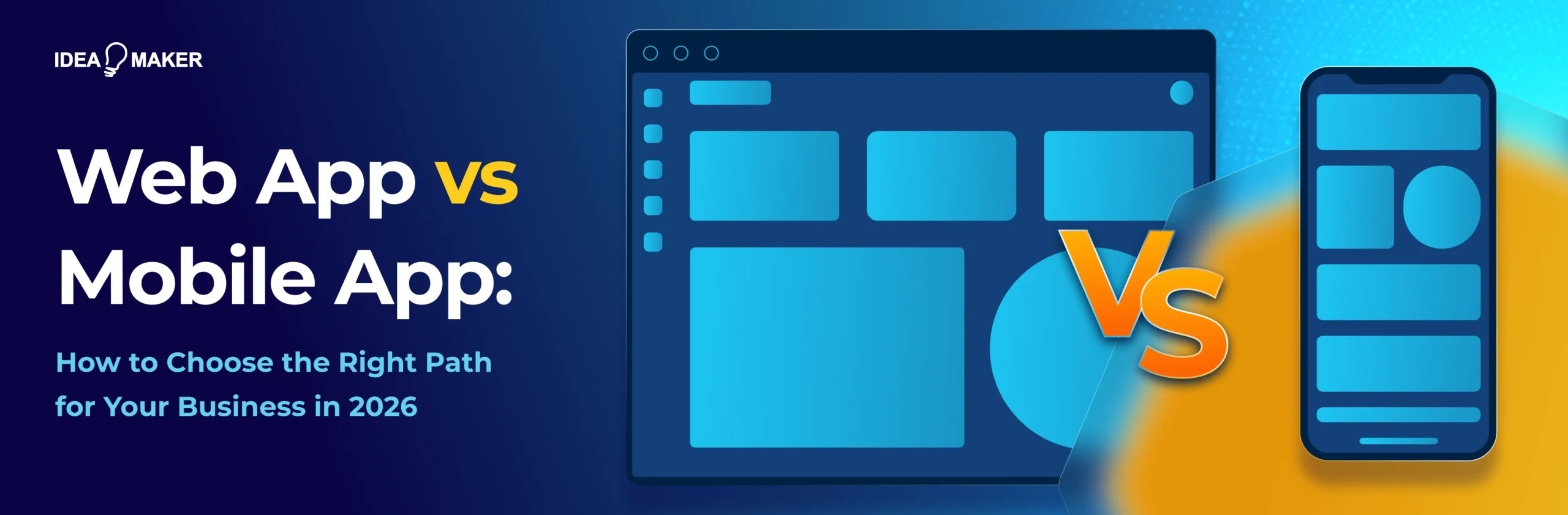
Web App vs Mobile App: How to Choose the Right Path for Your Business in 2026
If you are building a digital product in 2026, one of the first strategic decisions you will encounter is: Whether to go with a web app or a mobile app.
The actual decision is not between two technologies. It is between two operational models, one optimized for reach and the other for retention.
For founders and business owners, the web app vs mobile app decision can influence customer acquisition, retention, development cost, speed to market, scalability, and even your long-term business model.
So how do you decide?
The decision usually comes down to three competing priorities:
- Web apps: They are optimized for reach, are browser-based, instantly accessible, SEO-friendly, and typically faster and cheaper to build and iterate.
- Mobile apps: Optimized for retention, they live on the user’s device, enable push notifications, use native hardware features, and are better suited for habitual, high-frequency engagement.
- PWAs (Progressive Web Apps): These sit between the two by bringing app-like functionality into the browser without requiring a full native build.
In practice, none of these options is inherently better. Each one supports a different growth model, and the right choice depends on which platform best supports the way your business acquires, serves, and retains customers.
This article is based on our first-hand experience in building real-world web, mobile, and PWA builds at Idea Maker. It breaks down the strategic and technical trade-offs between each approach so you can make informed decisions based on product goals rather than assumptions.
By the end, you’ll have clear answers to the questions founders typically struggle with at this stage:
- What’s the difference between a web and a mobile application?
- When does choosing a mobile app over a web app genuinely make sense?
- How much more does mobile development cost, and how much longer does it take to build?
- How do you build for both platforms without doubling your budget?
Web App vs Mobile App: Why the Operational Model Decides This
The technical gap between building a mobile app and a web app has narrowed significantly in 2026. Frameworks are more mature, cross-platform tooling is more accessible, and development workflows increasingly overlap. In many cases, the same engineering team can build both a responsive web experience and a mobile application without fundamentally changing how they write code.
So if the tools have converged, why does the decision still matter so much?
Because what hasn’t converged are the operational realities behind each choice: how your product is distributed, how users engage with it, how fast you can iterate, and what it costs to acquire and retain customers.
User behaviour reinforces this distinction. In April 2026, mobile devices generated 52.8% of worldwide web traffic compared to 45.61% for desktop devices. This means users increasingly discover, research, and interact with products through mobile browsers before deciding whether an app is worth installing.
| Web Platforms | Mobile Platforms |
| Web apps are built for speed, discovery, and iteration. | Mobile apps are built for engagement, habit, and long-term usage. |
| Optimized for fast user acquisition through search, ads, and shared links | Requires intentional installation, creating higher user commitment |
| Users can start instantly (no install friction) | Stronger tools for retention (push notifications, home screen presence) |
| Best for testing ideas and validating products quickly | Better support for offline use and background activity |
| Enables rapid iteration cycles with instant deployments | Deeper integration with device hardware (camera, GPS, sensors) |
| Strong fit for SEO-driven and funnel-optimized growth | Designed for repeat, habitual usage rather than one-time visits |
| Lower friction makes it easier to scale top-of-funnel reach | Higher acquisition friction, but stronger long-term engagement when the product fits daily life |
These differences reshape everything downstream. They influence your entire operating model, how much you spend on customer acquisition, how quickly you can ship changes, how your team prioritizes features, and even how your monetization strategy evolves over time.
It's also worth noting how AI development tools for mobile apps fit into this. Tools like Cursor, GitHub Copilot, Claude Code, Vercel v0, Lovable, and Bolt are reducing per-feature build time across both web and mobile. However, the impact has not been evenly distributed. Web development has benefited more because the surrounding tooling ecosystem is already web-first. Mobile tooling is improving, but it still carries more platform-specific constraints.
This shift is important because it changes business behavior. Web apps are now faster and cheaper to validate than they were two years ago. Mobile apps are also faster to build than before, but the gap has not closed at the same rate. In practice, this influences everything from CAC assumptions to team composition, release cadence, and even how monetization strategies are tested.
Once you see it through this lens, the choice becomes less about “what can we build” and more about “what kind of business system are we designing?”
Web App vs Mobile App at a Glance: A Side-by-Side Comparison
Once you move past surface-level comparisons, the difference between a web app and a mobile app comes down to how your product operates in the real world.
Here is a grounded comparison of mobile app vs. web app that cuts through the noise and shows the real operational trade-offs across factors like distribution, cost, performance, and user experience. Think of it as a reference point you can return to while evaluating trade-offs throughout the rest of the guide.
Here is a side-by-side breakdown of web app vs mobile app in practical terms:
| Dimension | Web App | Mobile App |
| Where it runs | In a browser (desktop or mobile) | Installed on an iOS or Android device |
| Distribution | URL-based — instant access, no gatekeeping | App Store / Play Store — review and approval required |
| Discovery | SEO, search engines, direct links | App Store Optimization (ASO), paid user acquisition |
| Installation friction | None — click and start using | Download, install, and sign in required |
| Updates | Instant, server-side deployment | User must update via app stores |
| Hardware access | Limited (via browser APIs like camera, GPS) | Full access to device features (camera, GPS, NFC, biometrics, sensors) |
| Offline capability | Limited (PWA caching, partial support) | Strong offline-first capabilities |
| Push notifications | Limited support (varies by browser/platform) | Native push notifications with deep OS integration |
| Performance | Depends on browser and device constraints | Optimized, native-level performance |
| Typical build cost | Lower upfront cost | Higher upfront cost, often separate iOS/Android effort |
| Typical timeline | ~2–6 months for MVP | ~4–8 months for MVP (varies by complexity) |
| Best for | SaaS tools, marketplaces, dashboards, and content-driven platforms | Consumer apps, social platforms, fitness, fintech, and daily-use products |
A web app removes friction at every stage before usage begins. A mobile app shifts that friction upfront, but compensates with deeper engagement, stronger retention loops, and tighter integration into user behavior.
What Is a Web App?
A web app is software that runs in a browser and is accessed via a URL, with no installation required. It uses HTML, CSS, and JavaScript on the front end, communicates with cloud-hosted servers on the back end, and updates instantly for every user the moment a developer pushes new code.
Don’t confuse this with a website. It (website) only shows you information, while a web app lets you do something with it. For example, if you are using Notion, Google Docs, Trello, Figma, or Canva, you are actively creating, editing, and producing outputs. That interaction layer is what turns a website into a web app.
How it works:
A user opens a browser, types a URL, and the browser sends a request to a server. The server runs code, queries a database, and sends back HTML and JavaScript. The browser renders it. Modern web apps use APIs to load data dynamically, so the page doesn't fully reload every time you interact with it. That's why Trello feels like an app, not a series of page loads.
Common Types of Web Apps
Web apps are built according to business requirements. No two web apps can be the same if they are operating in different niches. So, it depends entirely on your product needs, how your users interact with it, and what kind of experience you want to offer. Here are some of the different types of web apps commonly seen across industries today:
1. Static Web Apps
Static web apps serve the same content to every user every time. There’s no database, no user accounts, no personalization. The server simply returns pre-built HTML and CSS files. They’re fast, cheap to host, and simple to maintain.
Examples include portfolio websites, company brochure sites, documentation sites, blogs, landing pages, and event pages, the kind of sites where content changes infrequently and speed matters more than personalization. Tools like Next.js and Gatsby are commonly used to build them. You can easily host most of your projects on GitHub Pages and Netlify for next to nothing.
2. Dynamic Web Apps
Dynamic web apps generate content on the fly based on who’s logged in, what they’ve done, and what data they’ve requested. Every user sees a different version of the page. Most business software used by the public falls into this category.
Dashboards, CRMs, eCommerce platforms, and project management tools. For instance, HubSpot, Salesforce, and Shopify.
3. Single-Page Applications (SPAs)
SPAs load once and then update content dynamically without ever reloading the full page. They feel fast and app-like because they are. The browser handles most rendering with JavaScript frameworks and pulls fresh data from APIs in the background.
Notion, Figma, Gmail, and Google Docs. If you've used a web tool that feels as smooth as a desktop app, it was almost certainly a single-page app built with React, Vue, or a similar framework.
4. Progressive Web Apps (PWAs)
PWAs are web apps that can be installed directly to your home screen, work offline, and send push notifications without going through an app store. They bridge the gap between web and mobile, though they come with real limitations on iOS that we will cover later in the guide.
Twitter Lite, Starbucks, Pinterest, and Spotify Web all ship as PWAs. They function close to native for their core use cases without the cost of a full mobile build.
Languages and Frameworks Used to Build Web Apps
Behind every web app is a combination of frontend frameworks, backend systems, databases, and hosting infrastructure working together. You don’t need to master these technologies, but understanding the core stack helps you make better decisions when discussing timelines, scalability, and platform trade-offs with your development team.
- Front End: HTML, CSS, and JavaScript form the base. React Native, Next.js, Vue, and Svelte are the frameworks most modern teams build on.
- Back End: Node.js, Python with Django or Flask, Ruby on Rails, and Go handle the server-side logic and API layer.
- Databases: PostgreSQL and MySQL for structured relational data. MongoDB for flexible document storage. Firebase for real-time apps that need quick setup.
- Hosting: AWS for enterprise-scale infrastructure. Vercel and Netlify for fast front-end deployments. Render for full-stack apps without the complexity of manual server management.
What Is a Mobile App? A Plain-English Definition
A mobile app is software downloaded and installed directly on a smartphone, distributed through the Apple App Store or Google Play Store. It runs natively on the device, accesses hardware like your camera, GPS, and sensors, and works with or without an internet connection.
You can understand the significance of these mobile apps from the State of Mobile 2026 Report. It found that in 2026, users spent 5.3 trillion hours on mobile apps and spent $167 billion on in-app purchases.
How it works: The build is only one phase of the mobile app development process: your development team writes the code, packages it into a build, and submits it to the App Store or Play Store for review. Once approved, users can discover your app through store search, paid campaigns, or word of mouth, download it, install it, and it runs locally on their device.
Native, Hybrid, and Cross-Platform Mobile Apps
Mobile apps differ based on your needs and functionalities. The approach your team takes has a direct impact on cost, performance, timeline, and what your product can actually do. Here are the ones you should know about:
1. Native Apps
Native apps are built specifically for one platform using that platform’s own language and tools. iOS uses Swift (Apple’s primary language) and Xcode. Android, on the other hand, uses Kotlin (Google’s preferred language) and Android Studio.
You’re essentially building two separate products. Two codebases, two development teams, two maintenance cycles. Real-world examples include Instagram, Uber, and Robinhood, all of which run on fully native codebases.
2. Hybrid Apps
Hybrid apps wrap web technologies such as HTML, CSS, and JavaScript within a native shell using frameworks like Ionic or Cordova. You write one codebase and deploy it to both platforms (Apple and Android).
However, the user experience is not up to the mark as animations feel slightly off, performance lags, and hardware access is limited. This is where the native app vs web app comparison often comes into play for founders trying to balance speed and quality.
3. Cross-Platform Apps
Cross-platform development sits between native and hybrid and is where most serious teams land in 2026.
Frameworks like Flutter (which uses Dart) and React Native (which uses JavaScript) let you write a single codebase that compiles to near-native performance on both iOS and Android. Two examples of this include Spotify and Airbnb.
Languages and Frameworks Used to Build Mobile Apps
Understanding these frameworks can help you understand and make sense of trade-offs around performance, cost, and development speed as your mobile product takes shape.
- Native iOS: Swift is the primary language for native iOS development, while Objective-C still appears in legacy codebases but is rarely used for new builds.
- Native Android: Kotlin is now the standard for native Android development, while Java remains the original language and is still used in older projects.
- Cross-Platform: Flutter uses Dart and is increasingly the default choice for new cross-platform builds. Teams with an existing JavaScript codebase often lean toward React Native development, which brings a large ecosystem along with it. Xamarin uses C# and is common in enterprise environments already running Microsoft tooling.
- Backend: Node.js, Python, Ruby on Rails, or Go, connected to databases like PostgreSQL, MongoDB, or Firebase.
This stack flexibility is also where PWA vs native app decisions often come in, especially when teams try to bridge web and mobile experiences.
Pros and Cons of Web Apps in 2026
In 2026, web apps are still one of the fastest ways to ship and scale a product, but they come with clear trade-offs that show up once real users and real traffic enter the system. Here is a practical breakdown of where they perform well and where they start to show limits.
When a Web App Wins
Web apps work best when your growth model depends on discovery, iteration, and broad accessibility.
- No download, no install, and no app store, users access your product instantly through a browser link.
- Instantly pushes new code, and every user sees it immediately with zero action required on their end.
- Web apps are fully indexable by search engines, which means users can find you through Google without paying for every click.
- The cost of developing a web MVP is lower because you typically build and maintain a single codebase that works across desktop and mobile browsers, without separate iOS and Android builds or app store deployment overhead.
- One web app runs on desktop, tablet, and mobile browsers without building separate products.
- You can test onboarding flows, pricing pages, and CTAs live without touching the App Store.
- Web apps give you more payment flexibility because you can use tools like Stripe or PayPal without app store billing restrictions, while mobile apps may still need to follow Apple or Google payment rules for digital purchases.
Where Web Apps Fall Short
These trade-offs matter because the same model that makes web apps fast and accessible can also limit depth, retention, and device-level control.
- Web apps run inside a browser engine with its own overhead, and no amount of optimization fully closes the gap.
- PWA caching covers basic use cases but falls apart under real offline-first requirements.
- Web push exists, but Safari (in iOS) has been slow to support it, opt-in rates are lower, and engagement is a fraction of native mobile push.
- Unlike mobile apps, web products don’t have an app store presence, so every user must be brought in through external acquisition channels.
- Browser-based apps also have restricted access to hardware features like background location, NFC, biometrics, and Bluetooth, which require native mobile implementations.
- Web apps rely on bookmarks or PWA installs for retention, which is significantly weaker than being present on a user’s home screen.
Advantages of Mobile Apps: Pros and Cons in 2026
Mobile apps operate in a very different environment from web products. Once you move past installation, you're no longer competing for a browser tab; you are competing for a permanent place on the user's home screen, which changes everything about how retention, engagement, and growth behave in practice. Planning a mobile build around those dynamics is the core of any sound mobile app development strategy.
When a Mobile App Wins
Mobile apps become the stronger choice when the product depends on frequent engagement, real-time notifications, offline access, camera or location features, or a smoother experience that the user can return to directly from their home screen. The kind of mobile app benefits for businesses that a browser tab struggles to match.
- Your app icon lives in the user’s visual environment, so they don't have to remember you exist.
- You can reach users instantly on their lock screen, which makes timing-sensitive engagement far more effective than email.
- Continuous GPS tracking, NFC payments, biometric authentication, accelerometer data, and Bluetooth connectivity are all available natively. Uber, Strava, and Robinhood are mobile because hardware makes them possible.
- Native apps are architected to sync when connected and keep running when they're not. For field service tools, logistics apps, or anything used in low-connectivity environments, this is a baseline requirement. Engineering that reliability across an organization's full device fleet is where serious enterprise mobile app development earns its keep.
- You can run AI tasks directly on the device through iOS and Android frameworks, giving you faster responses, lower API costs, and better data privacy.
Where Mobile Apps Fall Short
While mobile apps offer various benefits, these advantages also introduce additional planning and maintenance considerations. Before choosing mobile over a web app or PWA, it’s important to understand how native development, app store approval, device testing, and platform updates can affect your budget, timeline, and release flexibility.
The main trade-offs include:
- You often end up building and maintaining separate iOS and Android versions, which increases your upfront investment.
- Every update you ship has to go through App Store or Play Store review, which slows down how quickly you can iterate.
- Thousands of device models, screen sizes, and OS versions mean your QA team tests more combinations with every release.
- Annual OS updates from Apple and Google can break existing functionality, require UI changes, or deprecate APIs your product depends on. Mobile maintenance typically runs 15% to 25% of the original build cost per year.
- You force users to download your app before they experience value, which creates a drop-off point you don’t face on the web.
6 Questions to Help You Decide: Web App or Mobile App?
The mistake most teams make is starting with technology instead of user behavior. But users ultimately determine which platform succeeds. How often they engage, how they discover you, what devices they use, and what level of convenience they expect all shape the right decision more than framework preferences ever will.
The six questions below are the ones you repeatedly come back to when deciding what to build first.
1. How Often Will Your Users Engage?
Usage frequency is one of the strongest signals. If users interact with your product occasionally, like booking a service, requesting a quote, or checking information, a web app usually creates less friction. But if your product depends on daily engagement, reminders, or habit formation, mobile becomes much more valuable.
- Lean web if: usage is occasional or transactional.
- Lean mobile if: usage is frequent and retention-driven.
2. How Will Users Discover You?
Web apps benefit from Google Search, backlinks, referrals, and paid search. On the other hand, your mobile apps rely more on App Store visibility, paid installs, or existing brand demand.
However, web discovery is also becoming more competitive in 2026. With Google AI Overviews, ChatGPT Search, and other AI search platforms changing how users find and click on content, SEO now depends on more than keywords. You need useful, entity-rich content that can earn visibility across both search engines and AI answer platforms.
- Lean web if: your growth strategy is SEO or content-led.
- Lean mobile if: you already have an install-driven acquisition.
3. Do You Need Device Hardware Access?
If your app depends on GPS tracking, biometrics, Bluetooth, NFC, background activity, or real-time camera workflows, mobile gives you far more reliable access.
This is becoming even more relevant with on-device Artificial Intelligence through Apple Intelligence and Gemini Nano, which currently live inside mobile ecosystems, not browsers.
- Lean web if: hardware access is lightweight or optional.
- Lean mobile if: device integration is central to the experience.
4. Is Offline Functionality a Must-Have?
PWAs can support limited offline behavior, but true offline reliability is still much stronger on mobile.
If your users operate in low-connectivity environments such as travel, logistics, or field operations, this becomes a major factor.
- Lean web if: users are almost always connected.
- Lean mobile if: offline access is business-critical.
5. What's Your Acquisition Cost Tolerance?
Web and mobile behave differently when it comes to customer acquisition costs. Web products can compound through SEO and search intent over time. On the other hand, mobile acquisition usually depends more on paid installs and App Store visibility. The right answer varies by market, audience, and product category.
- Lean web if: you want lower-cost, search-driven acquisition.
- Lean mobile if: your market already behaves app-first.
6. What's Your Speed-to-Market Pressure?
If you need to validate in 90 days or sooner, the web is your realistic option. Mobile apps need a minimum of four to eight months, once you factor in submission cycles, device testing, and dual-platform builds.
Every iteration cycle after launch stays faster on the web, too, which compounds significantly if your strategy depends on learning quickly from real users.
- Lean web if: speed and rapid validation matter most.
- Lean mobile if: device-native experience is critical from day one.
If you’re stuck between two answers, that usually means the decision is not obvious yet. In many cases, the right choice depends on market detail, user behavior, or business constraints that need to be pressure-tested before you commit.
All you need is a 30-minute scoping call with our team of senior consultants and engineers to surface the trade-offs that matter for your specific case.
What Is the Cost of Web App vs Mobile App Development?
There’s no single number here, and any agency that quotes you one before understanding your scope is guessing. What you can do is use directional ranges to pressure-test your budget against reality before writing the code.
Here’s what development costs typically look like in 2026:
| Build Type | Web App | Mobile App (Native) | Cross-Platform Mobile |
| MVP / Simple | $20k–$60k | $30k–$80k per platform | $10k–$30k |
| Mid-Complexity | $60k–$150k | $80k–$200k per platform | $30k–$60k |
| Complex / Enterprise | $150k–$400k+ | $200k–$450k+ per platform | $70k–$150k+ |
| Annual maintenance | 15–20% of the build cost | 15–25% of the build cost | 15–20% of the build cost |
Besides the cost of building a mobile app and web app mentioned in the table, there are some other charges that you might not see coming. For instance, the Apple Developer Program costs $99 per year just to keep your app live. Similarly, for a Google Play developer account, you will have to pay a one-time $25 fee.
On top of that, both platforms typically take a 15–30% commission on in-app purchases, which directly impacts your revenue if you’re monetizing through subscriptions or transactions. When you also factor in third-party SDKs, backend hosting, analytics tools, and ongoing maintenance, the real first-year cost is often higher than the initial build estimate.
Moreover, even with AI tools like Cursor, GitHub Copilot, Claude Code, and Vercel v0 speeding up development in 2026, web apps still benefit more from automation, making them faster and cheaper overall. Mobile development remains roughly 1.5–2x more expensive for similar functionality.
How Long Does It Take to Build a Web App vs a Mobile App?
Most timelines you'll find online give you a single number and call it a day. That's not useful when you're trying to plan a budget, align a team, or set investor expectations. If you're comparing both options, understanding the mobile app development timeline alongside your web app plan gives you a clearer picture of what you're actually committing to. The breakdown below shows you exactly where the time goes at each stage and why.
| Step | Web App | Mobile App (Native) | What Drives the Variance |
| Discovery & Strategy | 1–2 weeks | 2–3 weeks | Stakeholder count, research depth |
| UX / UI Design | 2–4 weeks | 4–6 weeks | Screen count, custom interactions |
| Architecture & Setup | 3–7 days | 1–2 weeks | Backend complexity, integrations |
| Development | 8–14 weeks | 12–20 weeks (per platform) | Features, integrations, testing depth |
| QA & Testing | 1–3 weeks | 3–5 weeks | Device matrix, regression depth |
| Launch / Submission | 1–2 days | 1–2 weeks | App Store review cycles |
| TOTAL (MVP) | 2–6 months | 4–8 months | — |
Note: These ranges are based on Idea Maker’s real-world experience building mobile apps, web apps, and PWA products, not best-case marketing timelines. Projects that appear much faster on paper often cut corners in discovery, architecture, or testing. In our experience, those shortcuts usually show up later as scope creep, performance issues, user experience gaps, or expensive post-launch fixes.
The Third Option: Where Progressive Web Apps Fit In
As PWA adoption accelerates toward a $3.32 billion market in 2026, more businesses are discovering where they work best. PWAs are a smart choice when your product needs broad accessibility, frequent updates, and a lighter operational model, but does not depend heavily on advanced hardware access or the deepest level of native engagement. They are often a smart choice for products like Twitter Lite, Starbucks, Pinterest, and Spotify Web, which use the browser to deliver an experience close to native for their specific use cases.
Before committing to a full mobile build, it's worth understanding the benefits of progressive web apps and whether that suits your business use case.
However, a few places where these apps fall short include:
- iOS Limitations: Apple has historically been slow to adopt PWA standards through Safari. Push notifications, home screen installation, and background sync all behave inconsistently compared to Android.
- No App Store Presence: There’s no organic store discovery or featured placements. Every user who finds your PWA gets there because you brought them there.
- Hardware Access Is Restricted: Continuous GPS, NFC, biometrics, and background processing aren’t reliably available through a browser.
When You Need Both: Building Web and Mobile Without Doubling Your Cost
Sometimes the right answer is not choosing between web and mobile: it’s building both. The challenge is not the combination itself, but how to avoid treating them as two separate products with two separate budgets, timelines, and engineering teams. That’s where most projects quietly become expensive and slow.
1. Sharing One Backend Across Web and Mobile
If you build an API-first backend, both your web and mobile apps can rely on the same system for authentication, business logic, payments, and data management. Instead of duplicating logic across platforms, you centralize it once and let each client consume it through APIs.
In practice, this means your backend built with Node.js, Python, or Go, and connected to databases like PostgreSQL or Firebase, becomes the single source of truth. Your web app (React, Next.js) and mobile app (Flutter, React Native, or native iOS/Android) simply become “views” on top of it.
2. Maintaining Design Consistency Across Platforms
Your users shouldn’t feel like they’re using two different products depending on where they access you. The way to prevent that is a shared design system.
Colors, typography, and spacing are defined once as design tokens and expressed differently per platform. Your web app picks them up through Tailwind or CSS variables. In contrast, your mobile app uses platform-native components that inherit the same tokens.
3. How Teams and Release Cadence Have to Change
Web apps deploy continuously through platforms like Vercel or Netlify, often multiple times per week. On the other hand, Mobile releases move more slowly because of App Store reviews, device testing, and version approval cycles.
The solution to this is feature flags (settings in your code that let you ship a backend feature while keeping it hidden until you’re ready to turn it on). You build the backend capability, hide it behind a flag, ship it to the web first, and activate it on mobile once the App Store update clears.
What Most Founders Get Wrong About This Decision
Founders often overestimate how much users want to install apps, underestimate long-term maintenance costs, or try to launch across every platform before validating demand. The misconceptions below show up repeatedly in early product planning, especially when decisions are driven by market pressure rather than user needs.
Founders often approach the web app vs mobile app decision with incomplete assumptions about user behavior, cost structure, and long-term product maintenance, which leads to avoidable misalignment between what is built and what the business actually needs.
1. Mobile is always better than the web because everyone’s on their phone.
People may live on their phones, but that doesn’t mean they want to install your app. If your product solves an occasional or transactional problem, installing friction will usually hurt conversion more than mobile UX helps it. Match the platform to the use case, not the device statistics.
2. We need both web and mobile at launch to look credible.
Most early-stage teams don’t have the budget, product clarity, or operational maturity to execute well at the MVP stage. Splitting resources across two platforms usually slows learning and weakens both experiences instead of strengthening the business.
3. A PWA is basically the same as a native mobile app.
PWAs have improved significantly, but they still operate inside browser constraints. Safari limitations on iOS, weaker push notification support, and lack of App Store discovery are all real trade-offs that affect engagement and growth.
4. Cross-platform mobile is as affordable as building a web app.
For a single codebase that compiles to near-native performance on both iOS and Android, most serious teams weigh Flutter and Dart against React Native. Two examples of this include Spotify and Airbnb.
5. Once the app launches, the hard part is done.
Shipping is when the real cost starts. Both platforms require ongoing maintenance, but mobile’s is heavier. Annual OS updates from Apple and Google can break existing features, require UI changes, and demand engineering time you haven’t budgeted for.
6. We need a fully custom product before we can validate the idea.
In 2026, that’s rarely true for early validation. Tools like Lovable, Bolt, v0, Bubble, and Softr can produce usable web MVPs quickly and cheaply. Mobile no-code tools are less mature, but platforms like Glide and Adalo still work for simple workflows. In most cases, it pays to validate your app idea first rather than rushing into a custom build too early.
Web App vs Mobile App by Use Case: A Quick Reference
Products like project management platforms, CRMs, dashboards, and collaborative workspaces usually perform best on the web initially. Users often need larger screens, multi-tab workflows, keyboard-heavy interactions, and easier onboarding through shared links.
If you look at real products in the market, the difference between web applications and mobile applications tends to separate pretty clearly based on use case:
| Use Case | Recommended Approach | Why It Works |
| SaaS / Productivity Tools (Notion, Trello, Figma-style) | Web-first, mobile companion later | You’re dealing with complex workflows, multi-screen work, and keyboard-heavy usage. The web gives you speed and usability. Mobile is secondary for quick actions and notifications. |
| On-Demand Services (Uber, delivery, fitness coaching) | Mobile-first | Your product depends on GPS, push notifications, and constant engagement. Mobile becomes the primary interface; the web is usually operational support. |
| eCommerce / Marketplaces (Amazon, Etsy-style) | Both (web-led acquisition, mobile-led retention) | You acquire users through search and browsing on the web, but mobile drives repeat purchases and retention through notifications and convenience. |
| Fintech / Banking (Robinhood, Revolut-style) | Mobile-first with web support | Daily financial actions, alerts, and authentication work better on mobile. The web is typically used for deeper account management and reporting. |
You don’t need to force both platforms from day one. In most cases, the product category already tells you whether to go for a web app or a mobile app for business decisions and where retention actually happens.
How Idea Maker Helps Brands Choose and Build the Right One
Most founders come to us having already made up their mind. The first thing we do is pressure-test that assumption to make sure the platform they’re about to invest in fits their users and their business model.
We build across web, mobile, and PWA, which means we have no financial reason to push you toward any one platform. What that gives you is a straight answer on when to choose a mobile app over a web app, and what it will cost you operationally over the next 12 to 24 months.
When the right answer is building both, our architecture reflects that from day one:
- One shared backend serving both web and mobile clients
- Design tokens are defined once, expressed correctly per platform
- Feature flags are built in, so both platforms stay in sync through every release cycle
That structure saves the mobile app vs web app cost gap that usually appears when teams treat native app vs web app as two separate projects with two separate budgets.
We stay involved even after launch for maintenance, OS updates, release cadence, and iteration. All of it is planned up front, so nothing catches you off guard six months after you ship. If you're still deciding the difference between mobile app and web app for your product, that's what the scoping call is for.
Ready to Build the Right One? Let's Talk Strategy!
By now, the web app vs mobile app decision should be clear: web, mobile, and PWA are not just different technologies; they are different operating models. The right choice between web app development vs mobile app development depends on how your users behave, how you plan to acquire them, and what the business needs from the product over time. That is the kind of decision that gets much better when someone pressure-tests it with you before the build starts.
Idea Maker builds across all three paths: web, mobile, and PWA. Our recommendations are platform-agnostic because our architecture is built to handle whichever direction makes sense for your product.
If you’re unsure whether web, mobile, or a hybrid approach actually fits your product, the safest next step is to validate it before you invest in development.
Book a free 30-minute scoping call and get a clear, practical recommendation based on your use case, users, and budget.
FAQs
Is a PWA the same as a web app?
Not exactly. A PWA is a web app with added capabilities such as home screen installation, offline access, and push notifications. Think of it as a web app that behaves more like a native app in specific situations.
Can a web app work offline like a mobile app?
To a limited degree. Web apps can cache data using service workers, which supports basic offline use cases. But for complex offline workflows like syncing edits, background updates, or real-time collaboration, native mobile apps are still more reliable.
Will Apple or Google penalize a hybrid app?
No. There’s no “penalty” for hybrid apps in app stores. However, poor performance, slow load times, or repetitive UI patterns can hurt rankings and user reviews, which indirectly affects visibility and installs.
Should I build a web app first and add a mobile app later, or the other way around?
In most cases, start with the web unless your product depends on mobile-only features like GPS, push notifications, or camera-heavy workflows. Web lets you validate faster. Mobile-first only makes sense when the product is inherently mobile-native.
How much cheaper is a web app vs a native mobile app?
On average, a web app is about 50% cheaper upfront. Native mobile apps cost more because you’re often building and maintaining separate iOS and Android codebases, plus handling app store requirements and testing overhead.
Do I need a separate backend for web and mobile apps?
No, and you shouldn’t. A well-structured system uses a single API-driven backend that serves both platforms. Web and mobile should be different interfaces on top of the same core system, not separate products with duplicated logic.