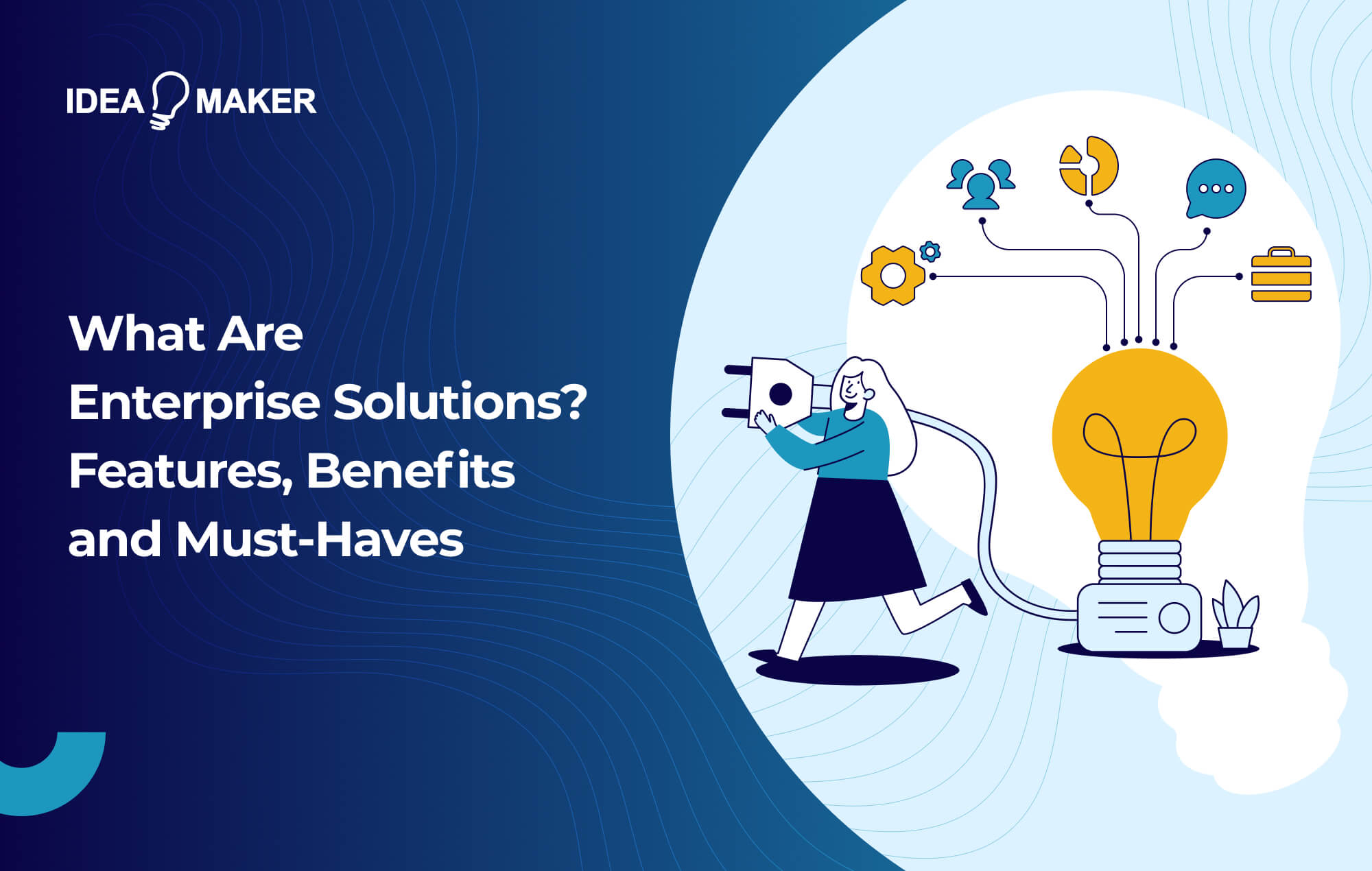
What Are Enterprise Solutions? Features, Benefits and Must-Haves
As your business grows, every disconnected tool starts adding more operational drag. Your sales team may use a CRM, finance may rely on accounting software, and leadership may still depend on spreadsheets for reporting. Each system may serve a purpose, but together they often create duplicated work, scattered data, slow decisions, and disconnected customer experiences.
Enterprise solutions help close these gaps by bringing core processes, users, data, workflows, security, and integrations into one connected digital environment. This can include ERP systems, CRM platforms, workflow automation tools, enterprise applications, data management platforms, or AI-powered business solutions.
Demand is rising fast. The enterprise software market was valued at USD 291.75 billion in 2025 and is projected to reach USD 750.03 billion by 2033, growing at a 12.8% CAGR.
As a leading enterprise software development company, Idea Maker draws on firsthand project experience to explain the features, benefits, and must-haves of effective enterprise solutions.
Key Takeaways
- Enterprise solutions replace scattered, disconnected tools with one connected environment that brings core processes, data, users, workflows, and security together as your business scales.
- Common types include ERP, CRM, SCM, BI and analytics, and HRMS. The right choice depends on where your team loses the most time and where your data is most disconnected.
- The main business benefits are clearer data visibility, higher productivity, better cost efficiency, stronger security, and functionality tailored to how your team actually works.
- In 2026, enterprise systems are increasingly AI-enabled, with workflow automation, predictive analytics, intelligent search, and real-time decision support built directly into the platform.
- The market is growing fast, from USD 291.75 billion in 2025 to a projected USD 750.03 billion by 2033, as companies invest more in AI, automation, and cloud infrastructure.
- Implementation success depends on planning ahead for cost control, change management, integrations, data migration, scalability, and choosing the right development partner.
What Are Enterprise Solutions?
Enterprise solutions are comprehensive, integrated software systems designed to cater to the needs of large organizations rather than individuals. Enterprise solutions bring multiple business functions, such as scheduling, CRM, accounting, project management, and more, into a single software platform. Rather than stitching together disconnected tools, you get one unified environment designed around your specific workflows, with the scale and flexibility to support a growing business.
For larger organizations, enterprise solutions also support scale across departments, locations, user roles, approval workflows, data permissions, and reporting layers. In 2026, many enterprise systems are also becoming AI-enabled, with features such as workflow automation, predictive analytics, intelligent search, and real-time decision support built directly into the platform.
For example, as an enterprise software development company, Idea Maker developed an enterprise data automation solution for Lincoln to manage high-volume file processing across the business. The system replaced manual Excel workflows with automated data cleaning, machine learning-based mapping, database integration, error flagging, and Power BI reporting.
Different Types of Enterprise Solutions
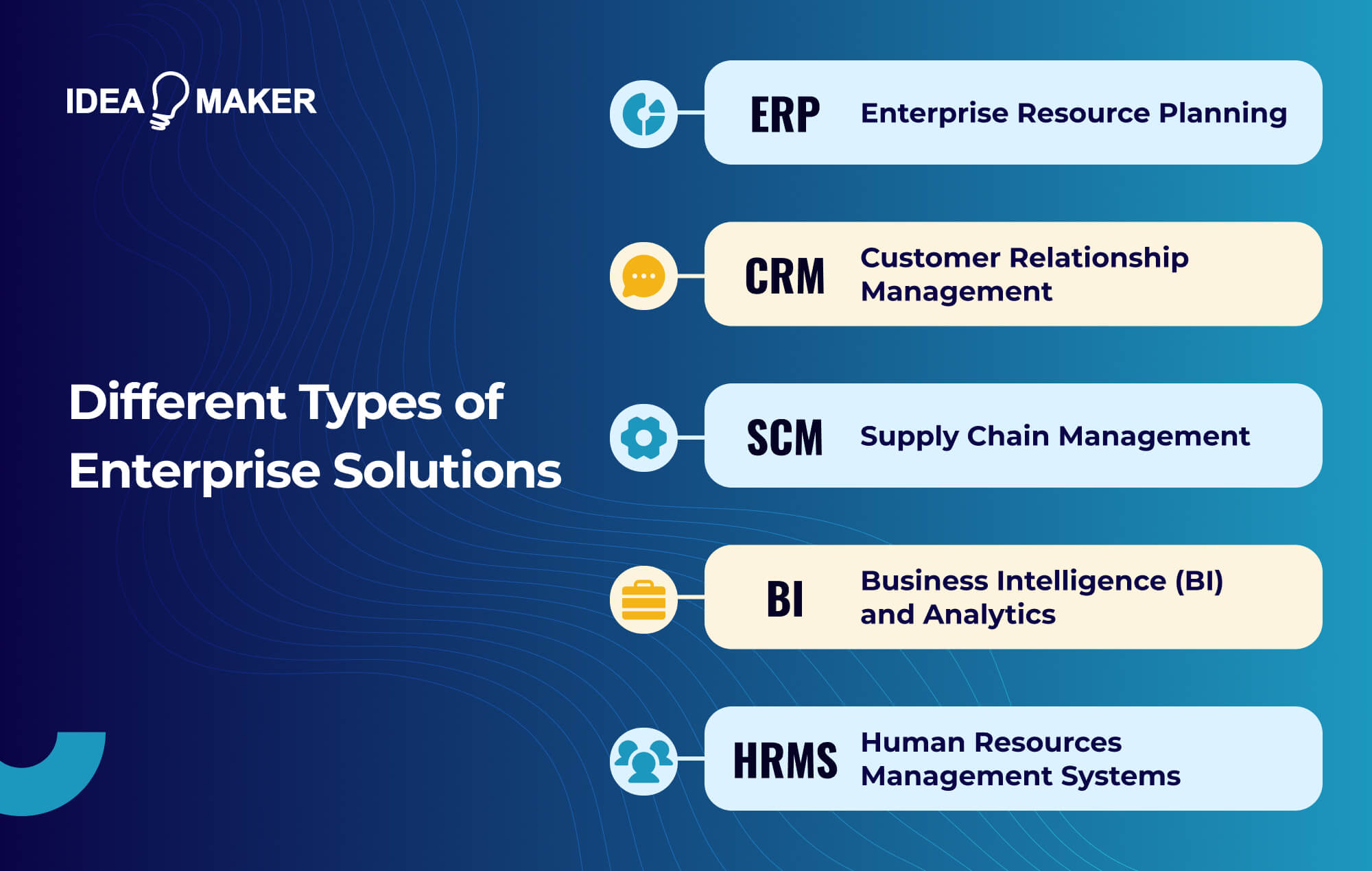
There are different types of enterprise software because every business has different operational priorities. Some companies need better financial control, while others need stronger customer visibility, supply chain coordination, workforce management, compliance oversight, or reporting. The right choice depends on where your team is losing time, where data is disconnected, and which process has the biggest impact on growth.
Below are some of the most common types of enterprise systems, with the scenarios where they make sense for your business.
Enterprise Resource Planning (ERP):
An Enterprise Resource Planning (ERP) system connects core business functions such as finance, procurement, inventory, supply chain, manufacturing, accounting, and reporting. Instead of managing these processes in separate tools, your team gets one centralized system for tracking resources, costs, orders, vendors, and operational performance.
ERP solutions are useful when your business needs better control over daily operations, financial visibility, and cross-department coordination.
Customer Relationship Management (CRM):
A Customer Relationship Management (CRM) is another type of enterprise application that helps your business manage leads, customer interactions, sales pipelines, support requests, and account history in one place. CRM platforms give your sales, marketing, and customer service teams a shared view of the customer journey.
Supply Chain Management (SCM):
Supply Chain Management (SCM) software optimizes the flow of goods and resources of your products or services. For companies that deal with physical products, SCM software improves forecasting, reduces delays, controls stock levels, and strengthens supplier coordination.
Business Intelligence (BI) and Analytics:
Business Intelligence (BI) and analytics applications allow your business to better process, visualize, present, and understand your data. Instead of relying on static spreadsheets or delayed reports, decision-makers can track sales, revenue, customer behavior, operations, and performance trends in real time. This leads to more effective interpretations of your data, such as historical sales, helping your businesses to make data-driven decisions.
Human Resources Management Systems (HRMS):
A Human Resources Management System (HRMS) manages employee data, recruitment, onboarding, payroll, attendance, performance reviews, benefits, compliance documents, and internal HR workflows.
HRMS software is valuable when your workforce is growing, and manual HR processes are becoming difficult to manage. It helps HR teams reduce admin work, improve employee record accuracy, standardize onboarding, and support better workforce planning.
How Does Enterprise Software Help Your Business?
With enterprise software, your business operates with more control, visibility, and consistency as teams, data, customers, and workflows grow. Instead of relying on guesswork or delayed reports, you get clearer visibility into daily operations. You can track performance, automate routine work, enforce security controls, and help teams act faster with the right information.
That level of control is becoming a business priority in 2026. As companies invest more in AI, automation, cloud infrastructure, and data-driven operations, enterprise systems are no longer just back-office tools. Gartner forecasts worldwide IT spending to reach $6.15 trillion in 2026, marking a 10.8% increase over 2025. This reflects the growing demand for digital systems that improve efficiency, visibility, and scalability.
Better Data Analysis:
Enterprise software gives your leadership team a clearer view of business performance. Instead of pulling reports from separate spreadsheets, CRMs, accounting tools, and operations platforms, you can centralize data into dashboards, KPIs, and analytics reports.
For example, a retail business can connect its POS system, eCommerce store, CRM, and inventory platform to see which products are selling fastest, track returning customers, and identify where stock shortages are affecting revenue.
Increased Productivity:
Enterprise software reduces the manual work that slows teams down. It automates approvals, task routing, invoice processing, customer follow-ups, and document workflows.
For business owners, this means your team spends less time copying data between tools and more time on work that drives revenue, service quality, and customer satisfaction. In 2026, AI-enabled automation is also becoming more common inside enterprise systems, helping teams summarize records, detect anomalies, generate reports, route requests, and support faster decision-making. Penn Wharton estimates that current generative AI tools can deliver roughly 25% average labor cost savings in applicable tasks.
Enhance Cost Efficiency:
Enterprise software reduces duplicated work, manual errors, tool sprawl, and process delays. When finance, sales, operations, HR, and customer support teams work from connected systems, your business can complete more work with fewer bottlenecks.
Cost efficiency does not always mean cutting headcount; it also means using your existing team more effectively. For example, an enterprise automation system can reduce hours spent on repetitive file processing, reporting, approvals, or data entry, allowing employees to focus on higher-value work.
Enhanced Security:
As your business grows, security becomes harder to manage across disconnected tools. Enterprise software can strengthen protection through role-based access control, audit logs, encryption, single sign-on, multi-factor authentication, data governance, backup policies, and compliance workflows.
This is especially important for businesses handling customer data, financial records, healthcare information, employee files, or intellectual property. IBM’s 2025 Cost of a Data Breach report puts the global average data breach cost at $4.44 million, showing why secure enterprise systems are not just a technical concern but a business risk issue.
Tailor-Made Functionality:
Generic tools often cover standard workflows, but enterprise businesses usually need more specific functionality. You may need custom approval rules, multi-location reporting, vendor portals, inventory logic, customer dashboards, AI-powered search, legacy system integration, or industry-specific compliance features.
Custom enterprise software allows you to build around your business model instead of forcing teams into fixed workflows. This is where the biggest value often comes from: software that supports the way your people actually work, while still giving leadership the control and visibility needed to scale.
What Are Some Use Cases of Enterprise Software Solutions?
Enterprise software solutions are becoming more important as businesses move toward AI-enabled operations, automation, real-time analytics, and connected workflows. In 2026, companies are no longer investing in enterprise platforms only to “manage data.” They need systems that can automate repetitive work, unify customer and operational information, and support AI-driven decision-making. Interestingly, in 2026, up to 39% of enterprises have scaled AI into production.
Enhancing Retail Customer Experience:
Retail businesses use enterprise software to connect customer data, inventory, sales, marketing, and order management. CRM systems help centralize customer profiles, purchase history, loyalty activity, support tickets, and campaign engagement, while BI platforms turn that data into insights for personalization and sales planning.
In 2026, AI will make these systems more powerful. Retailers can use predictive analytics to forecast demand, customer segmentation to personalize offers, recommendation engines to improve product discovery, and automated inventory alerts to reduce stockouts or overstocking.
Streamlining Healthcare Operations:
Healthcare organizations use enterprise software to manage patient records, appointments, billing, procurement, staff scheduling, compliance, and reporting. Systems such as healthcare ERP, electronic health records, HRM, and practice management platforms help reduce manual administration and improve coordination between clinical, finance, and operations teams.
Financial Services Compliance and Risk Management:
Financial service providers use enterprise software to manage compliance, risk, reporting, fraud prevention, customer data, and internal controls. In 2026, financial institutions are integrating fraud detection systems within their enterprise software capable of transaction monitoring, regulatory reporting, risk scoring, and cybersecurity oversight. A recent survey by Mastercard reveals 42% of issuers and 26% of acquirers have saved more than $5 million in fraud attempts due to AI-assisted fraud detection.
Manufacturing Efficiency and Supply Chain Optimization:
Manufacturing businesses use enterprise software to coordinate production, inventory, procurement, logistics, quality control, and supplier relationships. For business owners, this means fewer delays, less waste, stronger inventory control, and better cost visibility. Instead of relying on disconnected spreadsheets or manual updates, your team can monitor raw materials, work orders, machine capacity, supplier performance, shipment status, and production costs from one connected system.
Technology Startups Scaling Operations:
Technology startups often begin with lightweight tools, but as the business grows, disconnected systems create operational friction. Enterprise software helps you manage sales, billing, customer support, finance, HR, product operations, and reporting from more scalable systems.
If you’re an AI-first and mobile-first startup, enterprise software can also support internal automation, customer portals, usage analytics, subscription management, and integrated mobile workflows.
Implementation Challenges and Considerations
Though enterprise software comes with a lot of benefits for your business, its implementation is not always simple. These systems often touch core business processes, legacy tools, customer data, finance workflows, reporting structures, and day-to-day employee routines. Without proper planning, even a strong software idea can face delays, budget pressure, adoption issues, or integration problems.
That’s why it is important for you to understand the enterprise software development process before the project begins. As an enterprise software development company, we highlight below the main challenges to consider before implementing an enterprise software solution.
High Costs and Budget Overruns:
Enterprise software often requires a significant upfront investment, especially when you are building a custom system tailored to your workflows. Costs can increase when requirements are unclear, integrations are underestimated, user roles are not properly defined, or new features are added mid-project without proper scope control.
The best way to reduce your budget risk is to begin with a clear discovery phase and calculate the long-term ROI. Define your core requirements, technical dependencies, must-have features, user workflows, integration needs, and success metrics before development starts. This helps your team separate essential functionality from “nice-to-have” features and build a realistic project roadmap.
Change Management and Employee Training:
A new enterprise system can change how your employees complete daily tasks, access information, report progress, or collaborate across departments. If your team is used to spreadsheets, manual approvals, legacy software, or informal processes, adoption may be difficult without proper communication and training.
Business owners should treat implementation as an operational change, not only a technical project. Provide role-based training, involve key users early, explain how the system improves their work, and collect feedback before full rollout. The easier the system is to use, the faster your team can adopt it.
Integration With Existing Systems:
Most businesses already rely on tools such as CRMs, ERPs, accounting platforms, HR systems, inventory databases, customer portals, payment gateways, or legacy applications. New enterprise software must connect with these systems properly; teams may face duplicate data, broken workflows, reporting errors, or manual workarounds.
To avoid these issues, follow best practices for seamless custom software integration with existing systems. Your software partner should review APIs, databases, third-party tools, data formats, access permissions, and legacy system limitations before development begins.
Data Migration and Security
Enterprise implementation often involves moving customer records, financial data, employee details, product catalogs, operational history, or compliance documents from old systems into a new platform. Poor data migration can lead to missing records, duplicate entries, inaccurate reports, or workflow disruptions.
We recommend planning security needs from the start. Enterprise systems should include role-based access control, encryption, audit logs, secure authentication, backup planning, and compliance-ready data handling where required. This is especially important for industries such as healthcare, finance, logistics, legal services, and e-commerce.
Long-Term Maintenance and Scalability
Enterprise software implementation does not end at launch. As your business grows, your system may need new features, performance improvements, security updates, user role changes, reporting upgrades, or integrations with new tools. If scalability is not considered during architecture, your software may become expensive to maintain later.
Plan for long-term support from the beginning. This includes documentation, code quality, monitoring, testing, backups, performance optimization, and a clear process for future updates. For teams still in the early planning stage, our guide on how to develop an enterprise application explains what to expect at each stage so you can approach implementation with more clarity.
Finding the Right Vendor
The quality of your final system depends heavily on the team building it. A weak development partner may create poor architecture, unclear documentation, bad UX, fragile integrations, or software that is difficult to scale. That is why finding a reliable software development partner should involve more than comparing prices.
Review the agency’s portfolio, technical process, communication style, discovery approach, testing standards, and post-launch support model. The right partner should understand your business goals, ask detailed questions, identify risks early, and build software that supports both current operations and future growth.
Idea Maker Can Help You Develop Enterprise Solutions
Enterprise software only creates value when it fits the way your business actually works. That’s why, at Idea Maker, we help businesses design and develop custom enterprise software solutions built around your processes, users, and long-term growth goals. Whether you need an ERP-style system, CRM platform, internal operations portal, or a fully integrated business application, our team will help you move from scattered tools to a connected software environment.
Our process goes beyond writing code. We help you define requirements, map workflows, plan the architecture, design user-friendly interfaces, integrate third-party systems, and build software your team can use with confidence. Security, performance, data management, testing, deployment, and future improvements are also planned from the start.
If disconnected systems are slowing your team down, book a free consultation with Idea Maker and start building enterprise software that gives your business more control, visibility, and room to grow.
Conclusion
Enterprise software gives your business a more structured way to manage operations, connect teams, improve visibility, automate workflows, and scale with fewer bottlenecks. In 2026, as companies invest more in AI, automation, cloud platforms, analytics, and connected workflows, disconnected tools and manual processes will only create more friction. The businesses that get the most value from enterprise software are the ones that treat it as a long-term operating system for growth.
Ready to modernize the way your business operates? Book a free consultation with Idea Maker and let’s build an enterprise software solution that gives your team the control, visibility, and scalability needed to grow in 2026 and beyond.
FAQs
What is the difference between enterprise software and regular software?
Regular software usually solves a specific task for an individual user or a small team. Enterprise software supports larger business operations, connects multiple departments, manages complex workflows, integrates with other systems, and is built for scalability, security, reporting, and role-based access.
How long does enterprise software implementation take?
Enterprise software implementation can take a few months to over a year, depending on the project size, number of users, integrations, data migration needs, and customization level. A simple internal tool may take 2–4 months, while a large ERP-style or multi-department platform can take 6–12+ months.
What does enterprise software cost?
Enterprise software costs vary based on complexity, features, integrations, user roles, and security requirements. To give you an estimate:
- Small-scale enterprise software: $100,000-$250,000
- Mid-size custom solutions: $250,000-$500,000
- Large-scale enterprise platforms: $500,000+
How do I choose the right enterprise software for my business?
Start by identifying your biggest operational bottlenecks, required workflows, users, integrations, reporting needs, and long-term growth plans. The right enterprise software should fit your processes, improve visibility, reduce manual work, support security requirements, and scale as your business grows.
Can enterprise software integrate with existing tools?
Yes. Enterprise software can integrate with CRMs, ERPs, accounting systems, HR platforms, inventory tools, payment gateways, databases, APIs, and third-party applications. The key is to define integration requirements early so data can move reliably between systems without creating duplicate work or reporting gaps.